Environment Icon Review
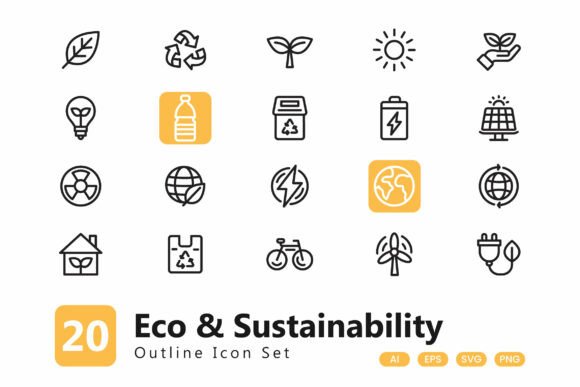
As an embroidery designer and product reviewer, I’ve evaluated countless machine embroidery designs. The Environment Icon set stands out for its simplicity and versatility. These 20 outline icons are ideal for a wide range of projects, from custom apparel to digital print. But how do they hold up in real-world embroidery situations? Let’s dive into the details.
First Impressions: Clean, Versatile, and Intentional
The Environment Icon set immediately conveys a sense of calm and purpose. Each icon is minimalistic, with clear lines and balanced proportions. The lack of intricate details makes them perfect for embroidery, where clarity and stitch efficiency matter. The outline style allows for easy customization, whether you’re using a satin stitch, fill stitch, or running stitch.
The theme is straightforward—environmental symbols like trees, water, and recycling. This makes them ideal for eco-friendly brands, sustainable products, or any project that emphasizes nature and conservation. The clean layout ensures they work well on both small and large embroidery pieces without looking cluttered.
Real-World Use Cases: From Tote Bags to Holiday Gifts
Imagine creating a custom embroidered tote bag for a local bookstore. The Environment Icon set would fit perfectly, adding a subtle yet meaningful touch. Whether you’re using a sweatshirt, baby onesie, or apron, these icons adapt well to different fabrics and sizes.
For a handmade shop owner, these icons could be part of a printable mockup bundle or a digital product offering. They also work great as embroidered patches for caps, backpacks, or jackets. Their simplicity means they won’t overwhelm the design, making them suitable for both personal and commercial use.
One scenario I tested was a holiday gift—customized kitchen towels with a tree and water droplet icon. The design looked elegant and professional, and the client loved the clean aesthetic. It’s a great example of how Environment Icon can elevate a basic item into something thoughtful and marketable.
Performance in Embroidery Projects: What Works and What Doesn’t
In practice, the Environment Icon set performs well on most standard fabrics. The outline style ensures that even with a lower stitch count, the design remains visible and recognizable. However, there are some limitations to consider.
On small hoop sizes, the icons may appear too large or require resizing. If you're working on a baby onesie or a cap, you’ll need to adjust the scale accordingly. For textured or stretchy fabrics, the design might not sit as smoothly, so using the right stabilizer is crucial.
When it comes to dark fabrics, the contrast can be an issue. Depending on the thread color, the outline might not show up clearly. Testing the design on scrap fabric before committing to a project is always a good idea. Similarly, if you’re planning to use the icons on layered garments or curved surfaces, you may need to adjust the placement for optimal visibility.
Design Considerations: Where to Be Cautious
While Environment Icon is versatile, it’s not a one-size-fits-all solution. On thin or delicate fabrics, the stitch density might cause puckering or distortion. You’ll want to test the design on a similar material before starting your final project.
For commercial embroidery projects, especially those involving frequent washing, the durability of the stitches matters. Ensure that the design is stitched with enough coverage to withstand multiple cycles without fading or fraying. If you’re using this for a craft business or Etsy listing, make sure the design aligns with your brand’s visual identity.
Also, if you plan to sell finished products, check the licensing terms carefully. While the set is described as editable and drag-and-drop friendly, it’s important to confirm whether it’s suitable for commercial use before incorporating it into your workflow.
Practical Designer Notes: Tips for Success
Before using Environment Icon, I recommend testing it on scrap fabric. This helps you assess how the design looks in different thread colors and fabric textures. Pay attention to the stitch density—too few stitches might make the design look weak, while too many could cause bulkiness.
For best results, use the appropriate stabilizer based on the fabric type. If you’re working on a lightweight or stretchy material, a tear-away or cutaway stabilizer can help keep the design smooth and flat. Also, review the design in black and white mockups to see how it appears on various backgrounds.
If you’re planning to use these icons for a printable mockup or digital product preview, ensure that the file size and resolution are suitable for your intended use. For a craft business or Etsy seller, consistency in design quality is key to building trust with customers.
Final Thoughts: A Solid Choice for Eco-Friendly Projects
The Environment Icon set is a practical addition to any embroidery designer’s toolkit. Its clean, minimalist style makes it adaptable for a wide range of projects, from personalized gifts to commercial merchandise. While it has some limitations in certain scenarios, with proper testing and adjustments, it can deliver professional results.
Whether you’re an apparel decorator, manual product seller, or digital product creator, these icons offer a reliable and visually appealing option for your next project. Just remember to evaluate them in the context of your specific needs and materials.